MANUAL · AIRlert™ LIVE BOARD app
Illustrated guide aligned with the portal login carousel —
realtime monitoring, gateways, outbound traffic, exports, hubs, and the Android LIVE BOARD shell.
Document date (UTC): 2026-07-26.
Downloaded snapshot — carousel images load from https://airlert.co.uk/php while online.
Recent AIRlert platform updates
Use these cards alongside the carousel below when training staff.
AI Message Centre (hideable)
Server-side AI summary rows tagged “From: AIRlert AI” sit alongside raw hub traffic. Open Settings → Display Preferences to hide them from your board — generation keeps running on the server.
One-tap Staff Responded
Each row shows a blue tap-strip labelled “Tap to RESPOND”. One tap logs Staff Responded, stops emergency flash on that message (and identical repeats on the same hub within 10 min), and writes a -NURSE_CALL_UI audit row.
RESPONDED with note
Open Message Actions on a row and use the blue RESPONDED button when carers need an optional written note before submitting — same audit trail as one-tap respond.
Big green tick (carer taps only)
Green ticks appear only after a carer taps Staff Responded, or on identical message text on the same hub within ±10 minutes of that tap. Tap the tick for device / IP / APK / carer forensics.
Message History (fast days)
Top pager with ← Newer / Older →, day picker, and Pack identical messages. Full calendar days load from server summaries; nav shows Loading… until the day is ready.
Reliable CSV export
Settings → Export uses sequential paging and site concurrency limits. If export fails or is empty, use Account backups → Logged data (CSV) for a full archive.
NFC location logging (optional, off by default)
LIVE BOARD APK only. NFC fob/tag taps can log operator location while responding to alerts — disabled until you turn it on in the 👤 menu. VIEW NFC LOGGED DATA for filters and CSV. If Android asks which app may use NFC, choose AIRlert LIVE BOARD.
Commands to Hubs (offline relay)
HUB Profiling → Commands to Hubs replaces the older offline-relay GUI: queue DA1–DA6 / FIL / OFIL and CMD:FLASH so wireless sensors fire the Nurse Call Point in-room even when internet is down.
Captive-portal Wi-Fi setup
Add the AIRlert Gateway HUB to your own Wi-Fi from the on-board captive portal (FP-PDH… AP → 192.168.??.?? → Configure WiFi). Step-by-step screenshots live on the portal welcome screen.
Outage-aware Twilio SMS (server)
Scheduled maintenance_cron.php (and optional secure airlert_uptime_ping.php) drives heartbeat timing. Recovery texts summarise how long checks were missed, with a configurable daily SMS cap.
Web Push & offline shell
Browser push notifications (where enabled), service-worker precache for the LIVE BOARD shell, offline banner, and diagnostics digest dock.
Carousel gallery (portal login walkthrough screenshots)
Slides prefer img/walkthrough/atoms_* assets; placeholders appear until those PNGs are uploaded on your server.
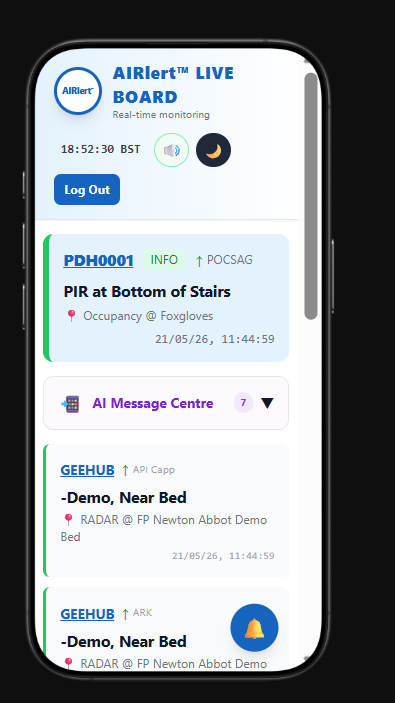
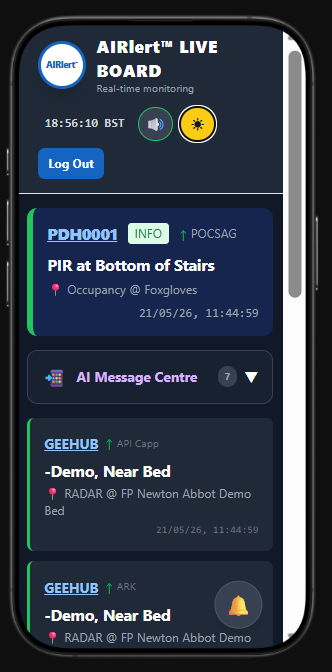
1. LIVE BOARD — realtime sensor feeds in light & dark themes.
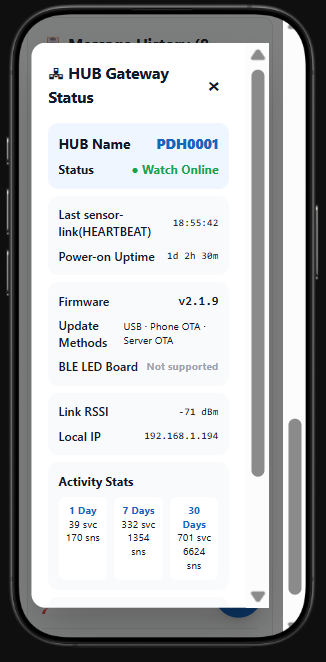
2. HUB status — heartbeat timing, firmware, RSSI & uptime telemetry.
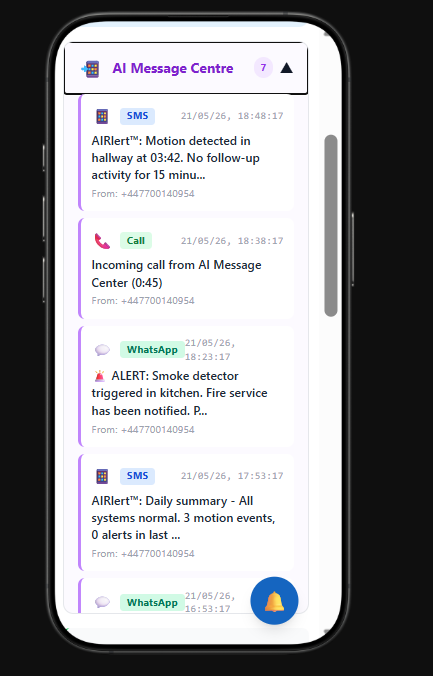
3. All messages — calls, WhatsApp & critical AIRlert™ alerts.
4. Categories & SMS‑voice — mute traffic, tweak numbers & contact AIRlert™.
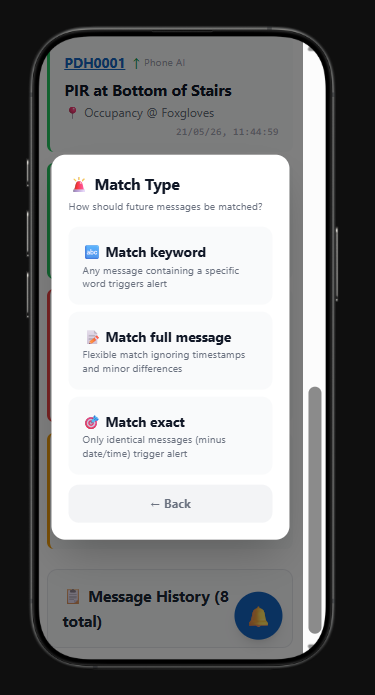
5. Export hub — CSV message logs (sequential paging); use Account backups for full archives when busy.
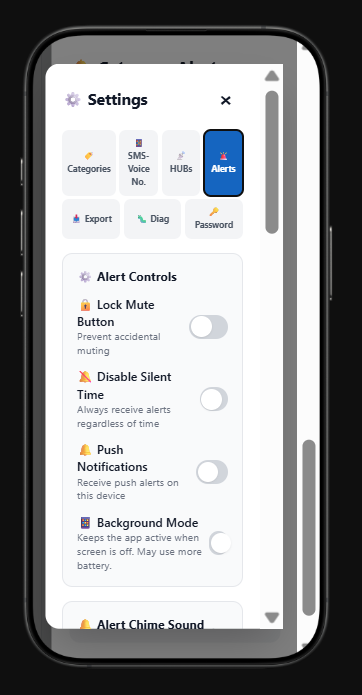
6. Deep-dive hubs — mirrored artwork from Frequency Precision LIVE designs.
Operating LIVE BOARD
- Open the app: sign in via the portal, tap AIRlert LIVE Board on the hub, or bookmark
iot_live_gate.php. - Android wrapper: install the APK from this hub (standard LIVE BOARD build — no kiosk banner strip).
- AI Message Centre: auto-generated summary rows are labelled “From: AIRlert AI”. Hide them locally in Settings → Display Preferences → Hide AI Message Centre if you want raw hub traffic only.
- One-tap Staff Responded: tap any row (or its blue tap-strip labelled Tap to RESPOND) once to stop emergency flash on that message, log Staff Responded to the Nurse Call UI audit trail, and silence identical-worded repeats on the same hub within 10 minutes. Persists across refreshes for 24 hours.
- RESPONDED with note: open Message Actions on a row and use the blue RESPONDED button at the top when carers need an optional written note before submitting.
- Big green tick + forensics: shown only after a carer taps Staff Responded (or on identical message text on the same hub within ±10 minutes of that tap). Tap for device / IP / APK / carer name / latency — not from loose word matching between unrelated sensor texts.
- Message History: under Settings, use the top pager (← Newer / day picker / Older →) and Pack identical messages. Full days load from server summaries; buttons show Loading… until ready.
- Hub setup & offline relay (admin): use the new HUB Profiling → Commands to Hubs page (replaces the old offline-relay GUI) to push DA1–DA6 / FIL / OFIL plus
CMD:FLASHso wireless sensors fire the Nurse Call Point in-room even when internet is down. - Add hub to Wi-Fi: use the AIRlert Gateway HUB’s captive portal (join
FP-PDH…AP, browse to192.168.??.??— the exact address is on the hub label / boot screen) — see the portal welcome screen for screenshots. - Alerts & mute: header speaker shortcut and per-category mute live on the Alerts views.
- Exports & backups: Settings → Export / Diagnostics / Password tabs — CSV export uses sequential paging and site concurrency limits. For large archives or if export fails, use User → Account backups → Logged data (CSV).
- NFC location logging (optional): Off by default. On the LIVE BOARD Android APK (NFC phone), open the 👤 user menu → NFC logging to enable. When ON, tapping an NFC fob/tag while on shift logs tag ID, operator name, phone, and device to your portal account — useful to see where a carer was when responding to alert messages. Use VIEW NFC LOGGED DATA for date/tag filters and CSV download. Turn OFF anytime from the same menu. Android may show a system NFC message; if prompted, select AIRlert / AIRlert LIVE BOARD. Browser-only LIVE BOARD does not scan NFC.
- Silent hours: feed digest windows honour saved silent hours stored with LIVE BOARD preferences.
- Connectivity: offline banner explains cached shell versus live gateway — full sign-in requires the portal server.
Hosting and telemetry notes
- Rebuild path: React sources build into
php/iot_live/; seeiot_live/README_DEPLOY.txtfor hashing and SW cache bumps. - Uptime texting: configure Manage Hub Profile → Change activity / uptime heartbeat; optional
airlert_uptime_ping.php?token=…. - Web Push: requires HTTPS, VAPID keys, Composer web-push dependency (see README_DEPLOY).
- Downloads: newer APK manifests live beside files under
php/downloads/.
More help
- Open LIVE BOARD from your AIRlert portal after signing in.
- Higher-access staff use LIVE BOARD → portal sign-in when appropriate, then the AIRlert hub after authenticating.